Instantly randomize clips in Premiere Pro
No more manual shuffling or external scripts. This extension is free and will always remain free.
 GitHub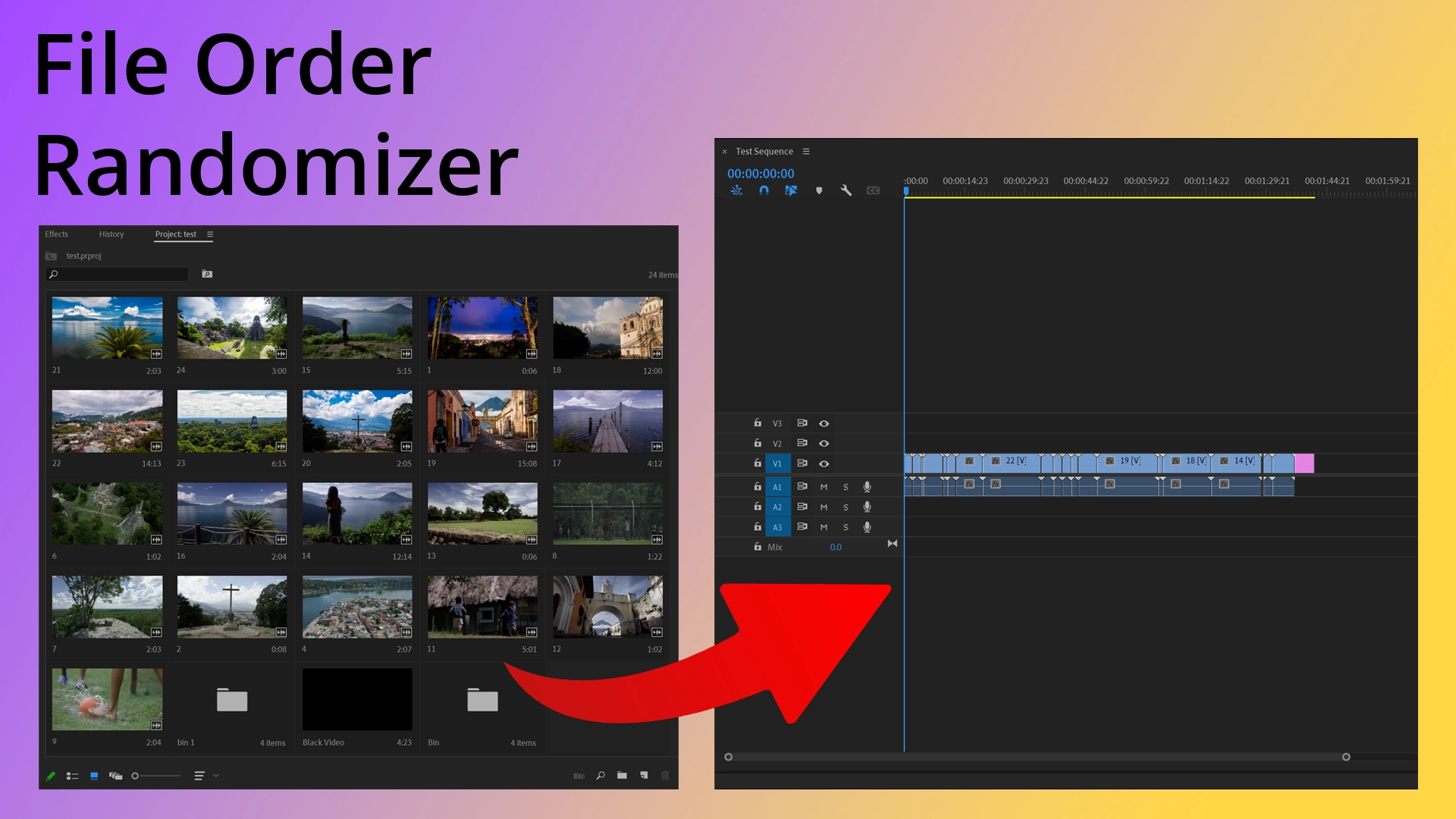
What it does
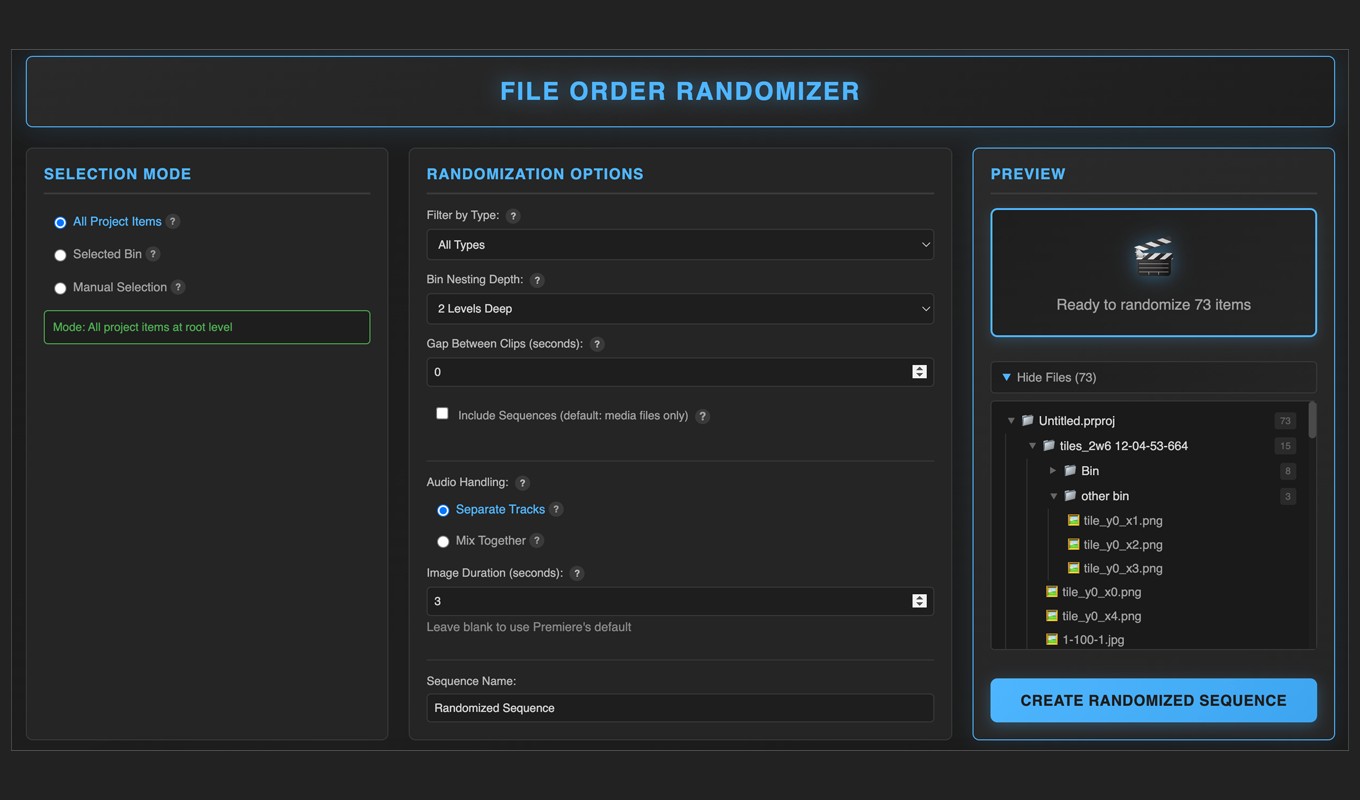
- Flexible Randomization — Randomize all project items, a specific bin, or a manual selection.
- Smart Filtering — Filter by file type (Video, Audio, Images) to randomize exactly what you need.
- Depth Control — Choose how deep to search in nested bins (Current level, 1-3 levels, or Unlimited).
- Native Integration — Works seamlessly inside Premiere Pro, building sequences directly on your active timeline.
Quick Start
- Install the extension and open it via Window → Extensions → File Order Randomizer.
- Choose a Selection Mode (All Project Items, Selected Bin, or Manual Selection).
- Customize your Randomization Options (File Type Filter, Nesting Depth).
- Click Create Randomized Sequence.
- Done. Your sequence is instantly built on the active timeline.
Note: If "Extensions" is greyed out, make sure you have a project open first.
Technical Deep Dive
The Problem
While editing video projects, I discovered a major workflow gap in Adobe Premiere Pro: there was no native way to randomize clip order for creating fast-paced edits or montages. Existing solutions were clunky external scripts that forced editors to export their project structure, run a separate tool, then re-import, which completely breaks the creative flow.
The Solution
I engineered a native extension that lives directly inside the Premiere Pro interface, allowing editors to randomize clips with a single click. Built using Adobe CEP (Common Extensibility Platform) and ExtendScript, the tool deeply integrates with the Premiere API to:
- Advanced Selection Logic — Randomize entire projects, specific bins, or manual selections with precision.
- Intelligent Recursion — Configurable bin nesting depth to handle complex project structures exactly how you want.
- Type-Aware Processing — Filter capabilities to distinguish between video, audio, and image assets.
- Native Performance — Generates randomized sequences instantly on the active timeline without external tools.
The Impact
The extension has been downloaded over 8,000 times with a 4.9-star rating on the Adobe Exchange marketplace. It has become a standard utility for video editors worldwide, proving that even focused tools can have significant impact when they effectively solve a specific user pain point.
Support & FAQ
Troubleshooting
The extension disappeared or isn't working after an update
This is a known issue with the Adobe Creative Cloud Desktop app, not the extension itself. Sometimes updates fail to overwrite old files, leaving the extension in a broken state.
The fix (clean reinstall):
- Open the Creative Cloud Desktop App.
- Navigate to Stock & Marketplace → Plugins → Manage Plugins.
- Click the … next to File Order Randomizer and select Uninstall.
- Wait a moment, then click Install again.
- Restart Premiere Pro.
I tried reinstalling via Creative Cloud, but it's still not showing up
You can bypass Creative Cloud entirely with a manual ZXP installation:
- Download a ZXP installer tool (like ZXPInstaller).
- Download the standalone .zxp file: Manual Installer (.zxp)
- Drag the .zxp file into the ZXP Installer window.
- Restart Premiere Pro.
- Access via Window → Extensions → File Order Randomizer.
How do I install the extension manually?
- Download a ZXP installer tool (like ZXPInstaller).
- Download the standalone .zxp file: Manual Installer (.zxp)
- Drag the .zxp file into the ZXP Installer window.
- Restart Premiere Pro.
- Access via Window → Extensions → File Order Randomizer.
Where do I find the extension inside Premiere Pro?
Go to: Window → Extensions → File Order Randomizer. If "Extensions" is greyed out, make sure a project is currently open.
Compatibility & Features
Does this work on the latest version of Premiere Pro (2025)?
Yes. The extension supports Premiere Pro 2025 (v25.x) and is backward compatible with CC 2024 and earlier.
Does it work on both Mac and Windows?
Yes. The extension is platform-agnostic and works on both operating systems.
How does the randomization work?
Unlike external scripts, this tool uses the native Premiere Pro API. It recursively scans the selected bin (and any nested bins), calculates clip durations, and rebuilds the sequence on your active timeline. It does not alter your original source files on disk. It only changes the arrangement in the timeline.
Still having issues?
Email me with your OS, Premiere Pro version, and installation method.
Email Support Or email directly: hello@kimichen.net